Coming soon · iPhone
A strength plan that pays attention.
Nemku builds your training week, adjusts it to what you actually did, and stays out of the way while you lift. No account. No ads. No feed. Just you and the bar.
Six accents ship in the app. This one repaints the page; the screenshots are real captures and stay in Sage. They do follow light and dark.
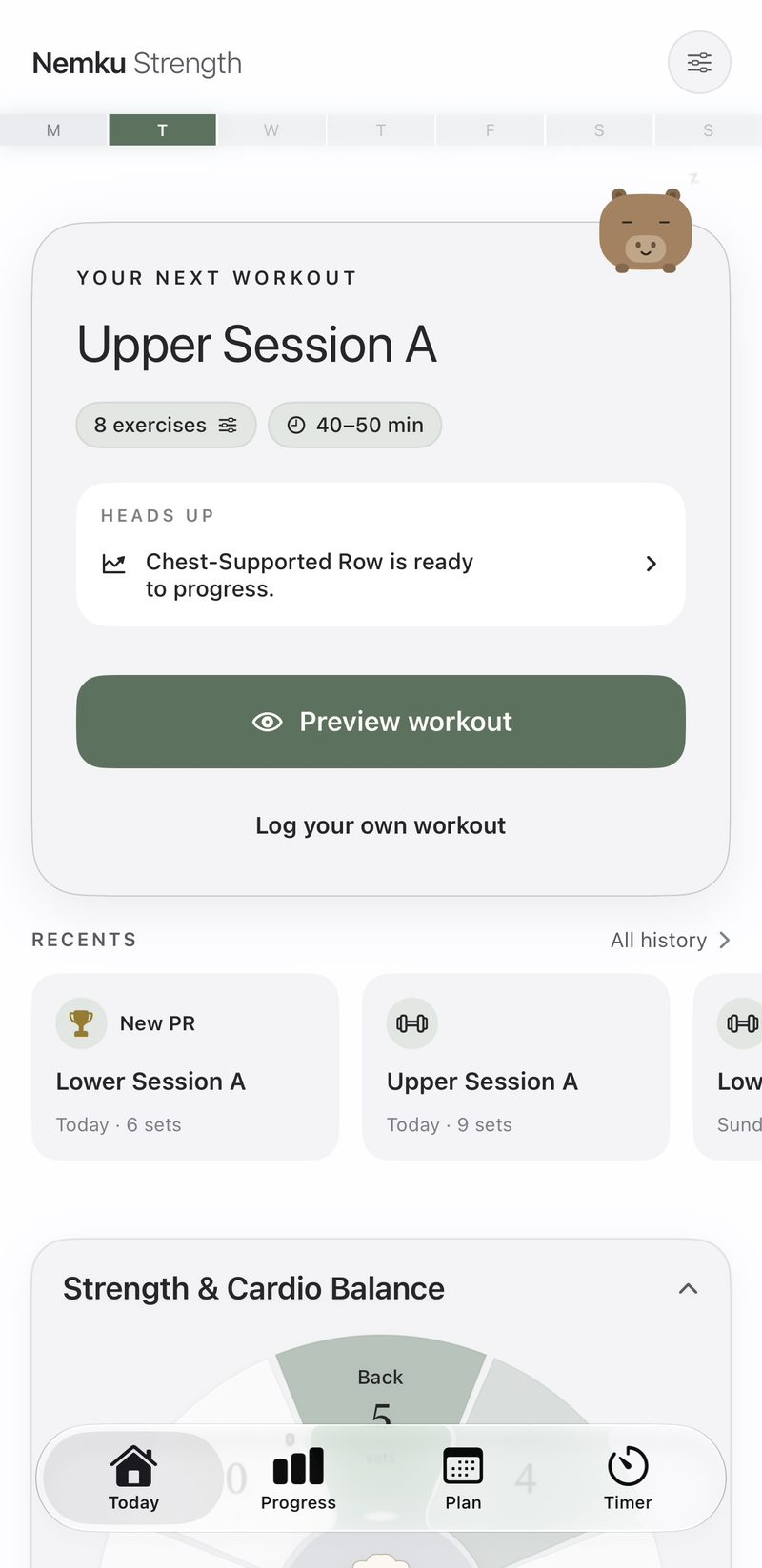
- Plan
- A week built around your days, gym, and level.
- Lift
- One tap per set. Rest starts itself.
- Adapt
- Skipped, crushed, or sore — next week answers.
- Progress
- The next move, not just a chart.
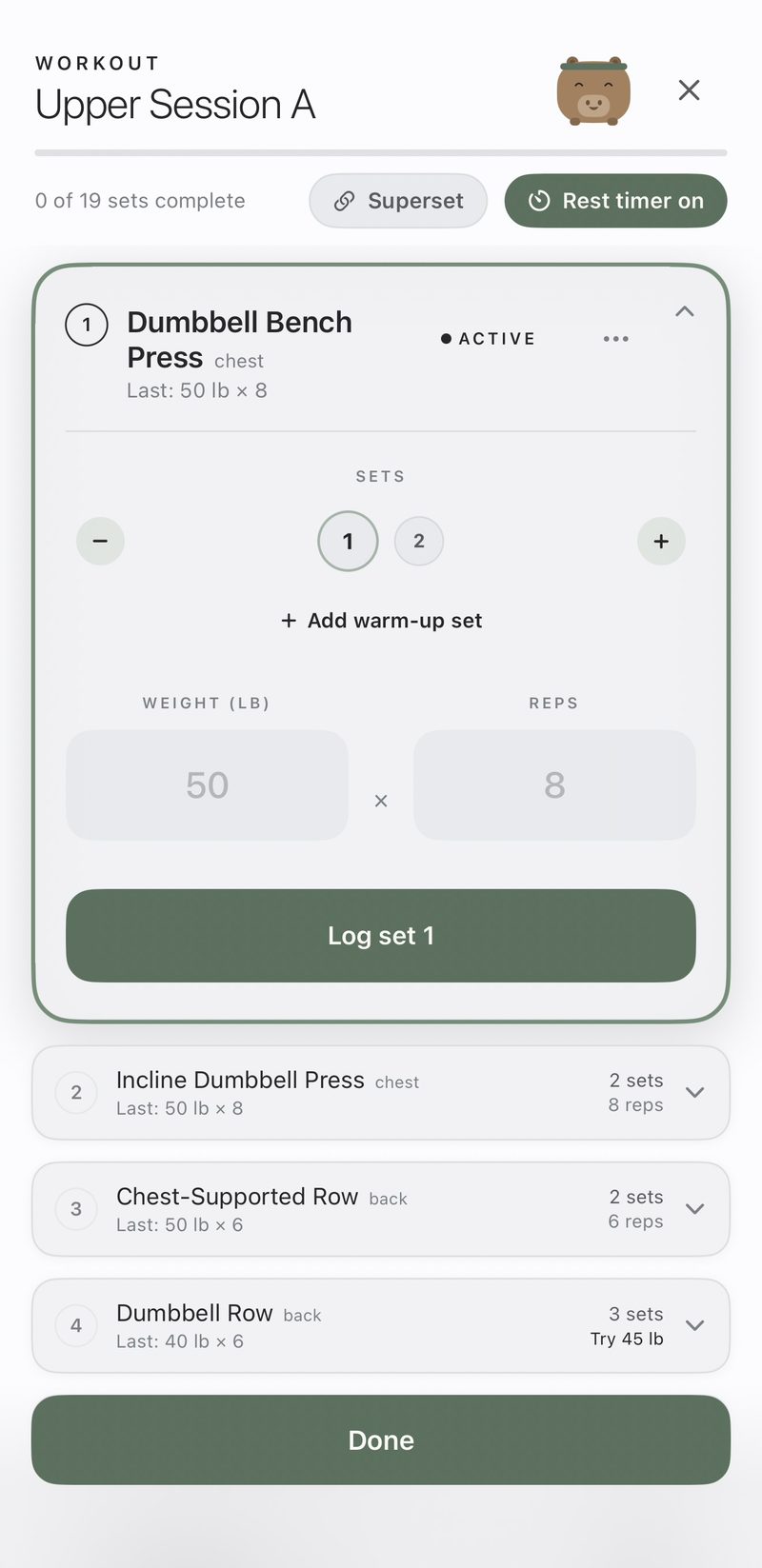
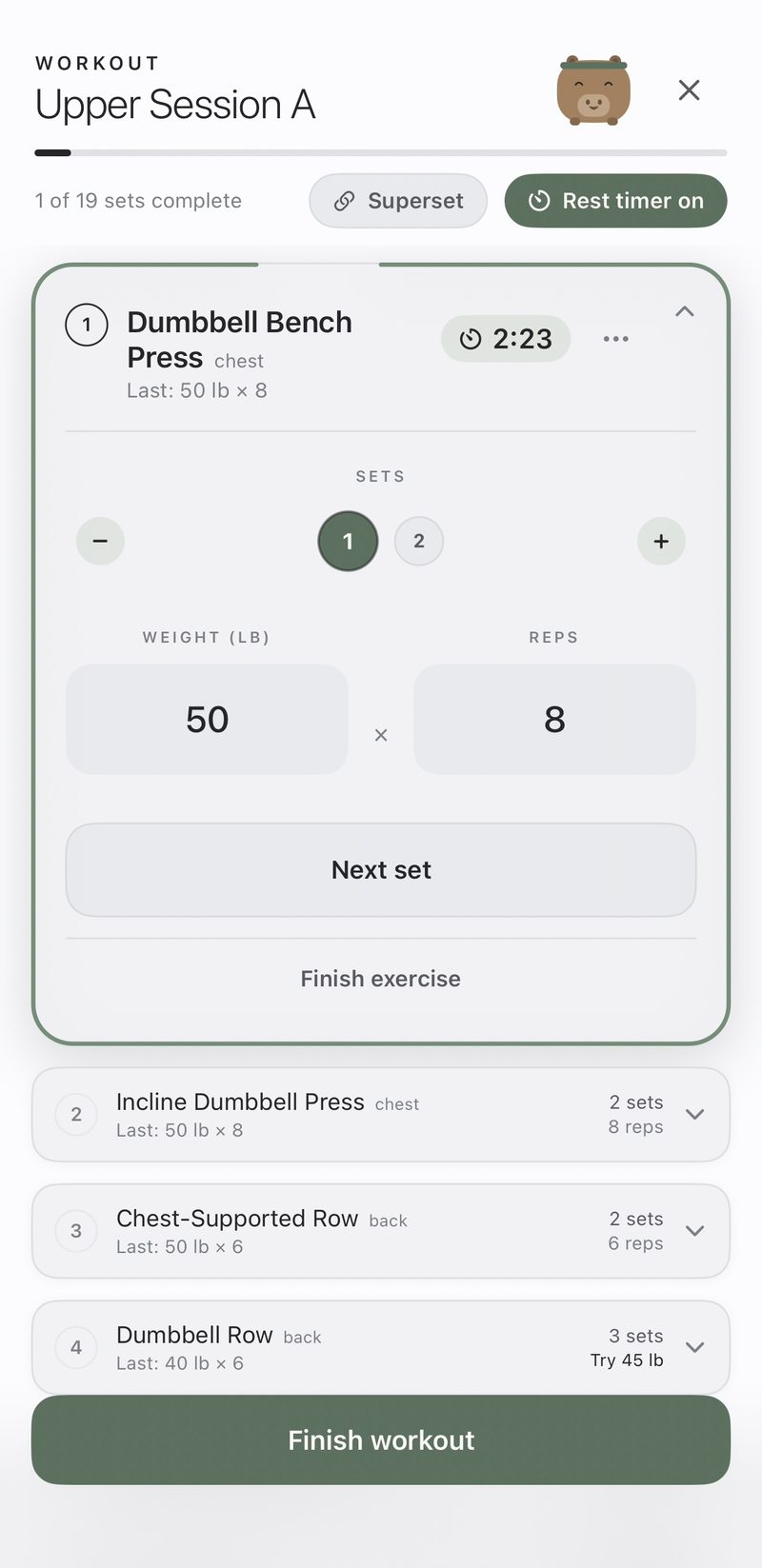
Set one, ready to log.
Nemku Pro · the workout player
Log a set.
Rest starts itself.
The player runs your session one set at a time. Log the set and the rest timer starts on its own, the progress bar moves, and the next set is already in front of you. Nothing to set up between sets.
The timer rides your Lock Screen and Dynamic Island, so the phone goes back in your pocket. Supersets bracket two or three lifts and rest once at the end of the round.
Quick Log · free
Type what you did.
Nemku builds the entry.
Write your session the way you'd say it — several lifts at once, cardio mixed in. Nemku reads it into structured entries with the right exercise, sets, weight, and reps.
It happens on your device. Nothing is sent anywhere, and nothing is saved until you look at the entries and confirm them — every one stays editable, or you can throw it out.
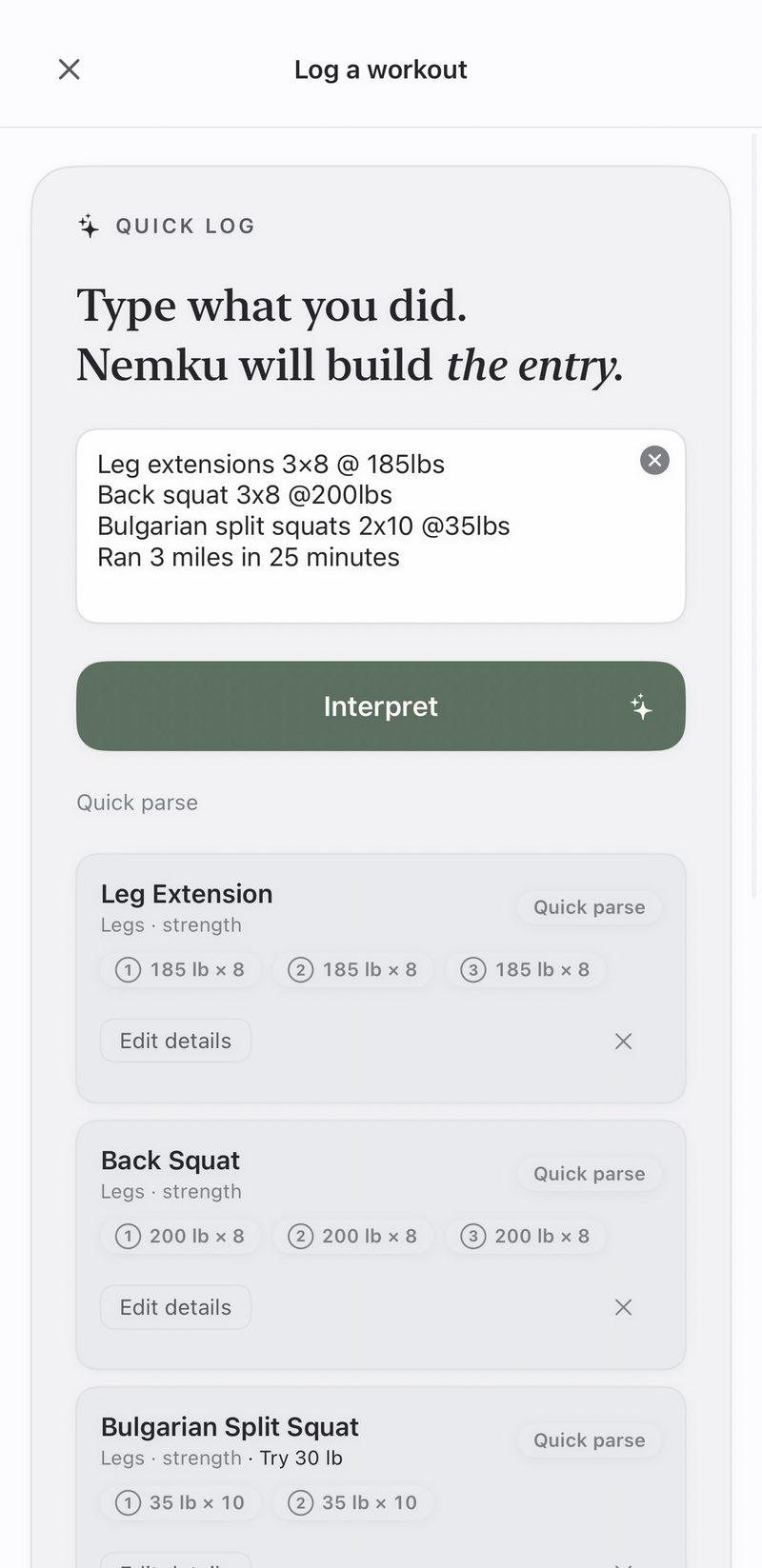
Four typed lines, read into four entries. Nothing saves until you confirm.
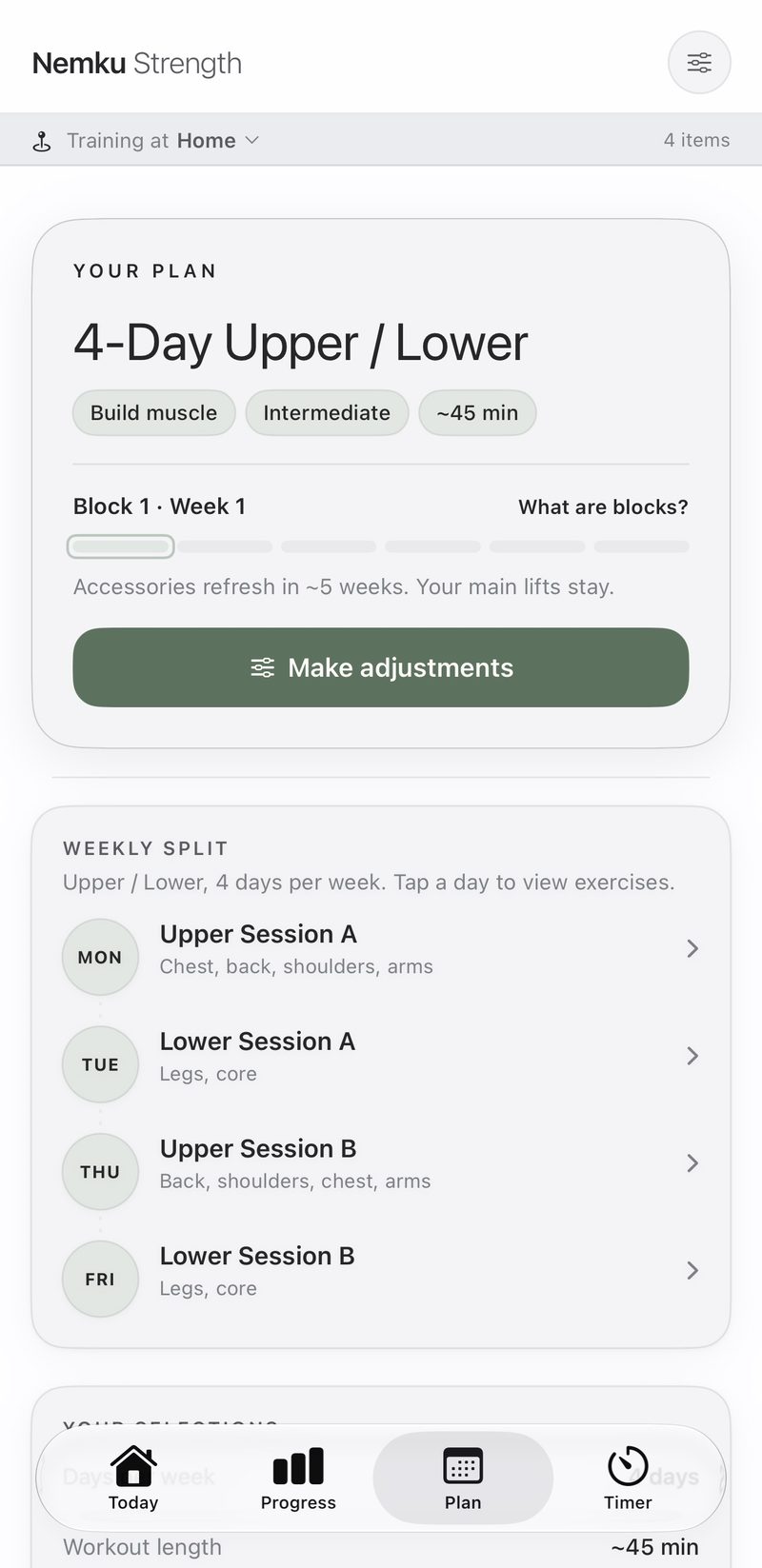
One real generated week: four days, at home, about 45 minutes a session.
Nemku Pro · the plan engine
Built around a real week.
Tell Nemku how many days you have, where you train, and what you're after. It picks the split, the exercises, the sets, and the progression — then keeps the week in shape as things change.
- Equipment-aware selection
- Custom or proven splits
- Injury-aware substitutions
- Training blocks
- Gym load ceilings
- Muscle focus
It's a deterministic engine with published volume landmarks — not a language model guessing. Name a sore shoulder and it drops the movements that aggravate it while keeping the volume through safe alternatives. Set what your gym has and it never prescribes a lift you can't load.
Progress · free
Less dashboard.
More direction.
Nemku reads your log and tells you the next move. When a lift is ready for more load, it says so — and the recommendation carries a button that puts the lift in your next session.
Estimated one-rep maxes, personal records, and per-exercise history track quietly underneath. Progression recommendations work on anything you log, whether or not you follow a plan.
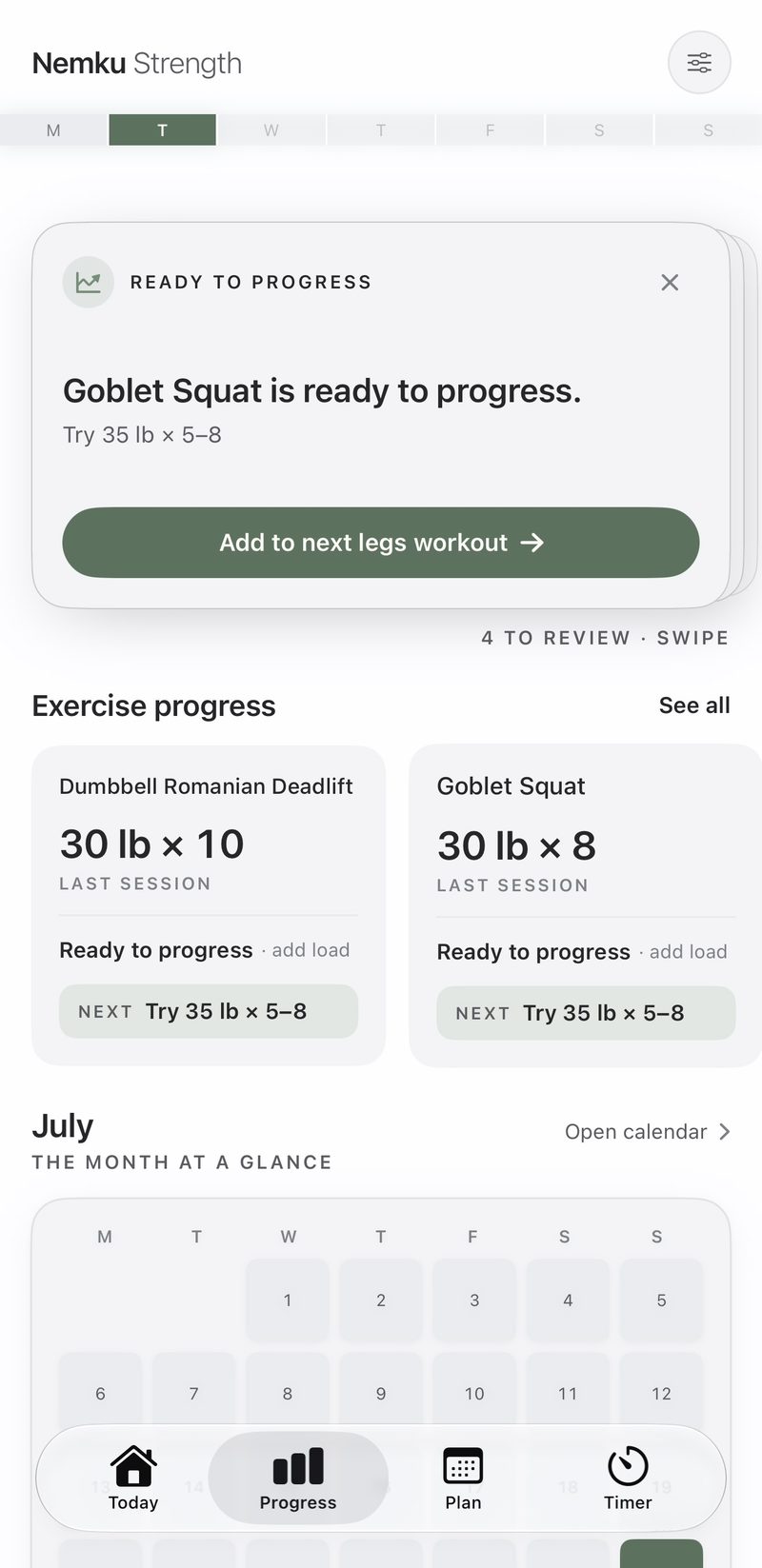
A recommendation with somewhere to go.
Nemku Pro · Capi's Kitchen
No plan for today?
Let Capi cook.
Some days the plan doesn't fit — you're in a different gym, you've got forty minutes, or you just want to hit arms. Capi builds a one-off session from how you've actually been training and what you've been neglecting. Pick the muscle groups or let Capi choose.
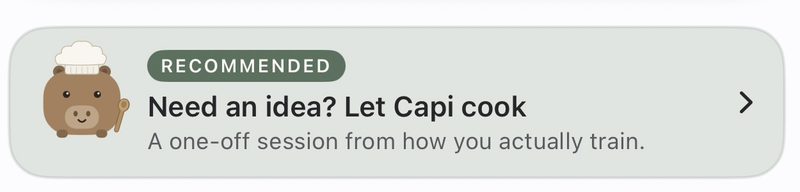
Capi is a capybara who lives in the app. He doesn't cheer, doesn't nag, never sends a 6am notification, and has never once said a word.
Apple Watch & Health · free
Watch or phone.
It all counts.
Runs, rides, and rows you record on Apple Watch — or in any other app that writes to Apple Health — land in your Nemku history with their heart rate, calories, and elevation. Finished Nemku sessions go back to Apple Health and count toward your rings.
- Heart rate
- Calories
- Elevation
- Distance
There is no Nemku app on the Watch. What you get is import and export, both optional: deny Health access and every core flow still works.
Yours, privately
No account.
No server.
No one watching.
Your training log lives on your phone, and — if you leave sync on — in your own private iCloud database. There is no Nemku server. The developer has no way to read your data, because there is nowhere to read it from.
No account, ever
Nothing to register, no password, no email required. Sync rides the iCloud session you already have.
No analytics, no ads
No telemetry, no ad identifiers, no third-party SDKs, no feed. Nothing is collected, so there is nothing to sell.
Health stays put
Metrics read from Apple Health never leave the device that read them — they're deliberately kept out of sync.
Pricing
Logging is free. Coaching is the subscription.
Everything you need to track your training costs nothing, permanently. Nemku Pro is the part that builds and steers the plan.
No account, no trial, no card. Just open it and log.
- Log any workout, any modality
- Quick Log by typing or dictating
- Full history and calendar
- Progress charts, PRs, estimated 1RM
- Muscle balance board
- Progression recommendations on lifts you log
- Rest timer, stopwatch, timed holds
- Apple Watch import & Health export
- Private iCloud sync
14 days free, then $39.99 a year — about $3.33 a month, roughly a third less than paying monthly.
- Everything in free, plus:
- The adaptive plan engine
- The guided workout player
- Recommended exercises & custom splits
- Weekly adaptation & training blocks
- Capi's Kitchen
- Muscle focus & rotation editing
- Injury-aware & gym-aware programming
- Custom exercise swaps
The same Pro features, month to month, no commitment.
- Everything in Nemku Pro
- Cancel any time in Settings
Prices in US dollars. Subscriptions are billed through your Apple ID and renew automatically until you turn off auto-renew, which you can do at any time in your Apple ID settings. Cancel during the 14-day trial and you're not charged.
Questions
Is it free?
Yes, permanently, for logging and tracking. Manual logging, Quick Log, your full history, progress charts, PRs, estimated one-rep maxes, the muscle balance board, the timer, Apple Watch import, Health export, iCloud sync, and progression recommendations on the lifts you log are all free with no account and no trial.
So what does Nemku Pro actually unlock?
The part that builds and steers your training: the plan engine, the guided workout player, recommended exercises and custom splits, weekly adaptation and training blocks, Capi's Kitchen, muscle focus, rotation editing, injury-aware and gym-aware programming, and custom exercise swaps. If you'd rather write your own workouts, you never need it.
Do I need an account?
No. There is no sign-up and no login, and there never will be. Sync uses your own private iCloud, so there are no credentials to manage and nothing to recover.
What happens to my data?
It stays yours. Your log lives on your device and, if sync is on, in your own private iCloud database. There is no Nemku server, no analytics, and no third parties. Data read from Apple Health never syncs at all — it stays on the device that read it.
Does it work without an Apple Watch?
Completely. There is no Nemku app on the Watch. If you have one, workouts you record on it can be imported into your Nemku history with their metrics; if you don't, nothing is missing.
Can I just log my own workouts?
Yes, and that path is free. Pick your exercises, sets, and weights yourself, or type the session in plain language and let Quick Log build it. Nemku still tracks your PRs and tells you when a lift is ready for more load.
How does the plan adapt?
From what you actually did. Skip a session, add sets, fall short of your reps, or flag a sore muscle group, and the next session is reshaped in response — each change carrying a plain-English reason. Accessory exercises rotate on a block cycle while your main lifts stay put.
Is this AI?
The plan engine isn't. It's a deterministic, rules-based generator with its own exercise library and published per-muscle volume landmarks, so the same inputs always produce the same week and every choice can be explained. The only model involved is Apple's on-device one, which helps Quick Log interpret the sentence you typed — and even then every number is computed by ordinary code, on your phone.
What if I'm training around an injury?
Name the area and the engine excludes the movement patterns that aggravate it — not as a preference it might override, but as a hard exclusion. It preserves the volume for those muscles by routing it through alternatives that don't involve the pattern.
Can I cancel during the trial?
Yes. The annual plan starts with 14 days free, and cancelling before it ends costs you nothing. Subscriptions are managed through your Apple ID, and the app links straight to Apple's cancel sheet.
Your next workout can already be waiting.
Nemku Strength is finishing App Store review. Leave your email and you'll get one message the day it's live — nothing before, nothing after.
One email when it ships. Nothing else, ever.
Your address is used for exactly one email and nothing else. It isn't sold, shared, or added to any other list.